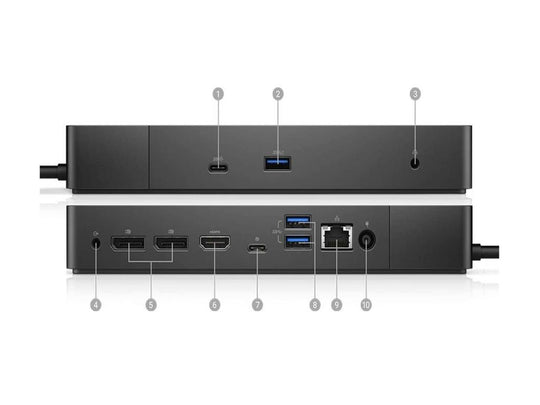
In the fast-paced world of technology, keeping up with the latest gadgets can be daunting and costly. For professionals and students alike, a laptop docking station is an essential accessory that enhances productivity by providing additional ports and connectivity options. However, purchasing a brand-new docking station can be expensive. Fortunately, there are quality used options available that can meet your needs without breaking the bank. This article provides top tips on finding a quality used laptop docking station, ensuring you make an informed decision without compromising on performance.
Understand Your Needs
Before diving into the world of used docking stations for laptops, it is crucial to understand your specific requirements. Consider the following:
- Compatibility: Ensure the docking station is compatible with your laptop model and operating system.
- Ports: Identify the types of ports you require. Common options include USB-C, HDMI, Ethernet, and audio jacks.
- Power Delivery: If you need to charge your laptop through the dock, check for power delivery features.
- Number of Displays: Determine if you need a docking station that supports multiple monitors.
Research and Reviews
Seek Reliable Sources
When purchasing a used docking station, rely on reputable sources and vendors. Trusted online marketplaces, tech forums, and dedicated websites are excellent starting points. Check the seller’s ratings and reviews to gauge their reliability and the quality of the products they offer.
Read Product Reviews
Customer reviews can provide valuable insights into the performance and durability of a used docking station. Pay attention to feedback regarding:
- Durability: How well does the docking station hold up over time?
- Functionality: Are all advertised features working as expected?
- Customer Support: How responsive is the seller or manufacturer to customer inquiries and issues?
Inspect the Condition
Physical Examination
Whenever possible, inspect the docking station physically before purchasing. Look for signs of wear and tear, such as scratches, dents, or loose ports. Ensure that all connectors and cables are intact and functioning.
Ask for Additional Information
If buying online, request detailed images and information about the product’s condition. Ask the seller about the docking station’s usage history and any previous repairs or refurbishments it may have undergone.
Warranty and Return Policy
Even when buying used, some sellers offer warranties or return policies. A warranty can provide peace of mind, ensuring that you have recourse in case the docking station fails to meet your expectations or malfunctions shortly after purchase. Familiarize yourself with the return policy to understand the terms and conditions involved.
Compare Prices
Used docking stations can vary significantly in price depending on factors such as brand, condition, and features. Compare prices across different platforms to ensure you are getting a fair deal. Be wary of prices that seem too good to be true, as these may be indicative of counterfeit or defective products.
Secure Payment Methods
For online purchases, use secure payment methods that offer buyer protection, such as credit cards or reputable payment gateways. Avoid direct bank transfers or unconventional payment methods, which may leave you vulnerable to fraud.
By following these tips, you can confidently navigate the market for used laptop docking stations, finding a product that meets your needs and budget. A well-chosen docking station can significantly enhance your laptop’s capabilities, providing the connectivity and convenience required in today’s digital age.

